Excel اور Google Sheets کے لیے ChatGPT (beta)
ChatGPT سے کہیں کہ وہ مکمل اسپریڈ شیٹس بنائے، ٹیبز کے درمیان بصیرتیں حاصل کرے، فارمولے شامل کرے اور ان میں ترمیم کرے اور شیٹس کو حقیقی وقت میں اپ ڈیٹ کرے—تاکہ پروجیکٹس تیزی سے آگے بڑھ سکیں.
یہ بیٹا میں دنیا بھر میں ChatGPT Business، Enterprise، Edu، Teachers، اور K-12 صارفین کے لیے اور ChatGPT Pro اور Plus صارفین کے لیے دستیاب ہے.
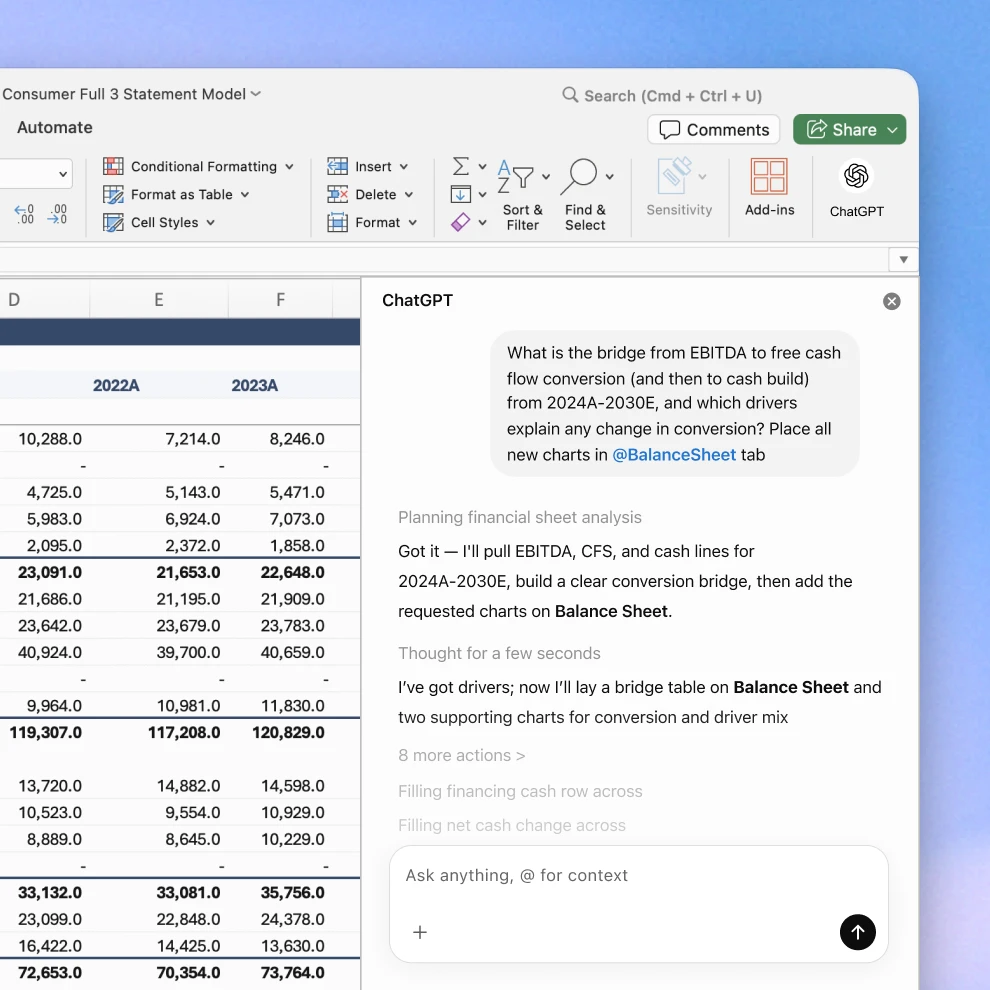
بات چیت کو چند منٹوں میں اسپریڈ شیٹس میں تبدیل کریں
سادہ زبان میں تخلیق کریں اور اپ ڈیٹ کریں.
ایک خالی اسپریڈشیٹ سے شروع کریں یا اپنی ضرورت کی وضاحت کر کے موجودہ میں ترمیم کریں، جیسے کہ سروے کے نتائج کا تجزیہ، رعایتی کیش فلو ماڈل، یا کاروباری منصوبہ کی تجویز۔ ChatGPT فارمولوں سمیت ایک فارمیٹ شدہ شیٹ بنا سکتا ہے، تاکہ آپ کو عین ابتدا سے شروع نہ کرنا پڑے.
اپنے ڈیٹا سے تیز تر جوابات حاصل کریں.
اپنی سپریڈ شیٹ میں موجود چیزوں کے بارے میں سوالات پوچھیں اور ٹیبز کے درمیان واضح خلاصے حاصل کریں. فارمولوں کو سمجھیں، غلطیاں تلاش کریں اور درست کریں، پیٹرنز کی نشاندہی کریں، اور ڈیٹا کو تیزی سے ایسی بصیرتوں میں تبدیل کریں جن پر آپ عمل کر سکیں.
ساتھ ساتھ چلیں تاکہ آپ کام پر اعتماد کر سکیں.
ChatGPT وضاحت کرتا ہے کہ وہ کیا کر رہا ہے، اپنے حوالہ دیئے گئے اور اپ ڈیٹ کیے گئے سیلز کے ساتھ جوابات کو لنک کرتا ہے، آپ کے فارمولے اور فارمیٹنگ کو محفوظ رکھتا ہے اور تبدیلیاں کرنے سے پہلے اجازت طلب کرتا ہے، تاکہ آپ ہر قدم کی تصدیق کر سکیں اور ضرورت پڑنے پر ترامیم واپس لے سکیں.
جہاں آپ پہلے ہی کام کرتے ہیں وہاں ChatGPT استعمال کریں
ٹولز تبدیل کیے بغیر اسپریڈ شیٹس بنانے، تجزیہ کرنے اور اپ ڈیٹ کرنے کی خاطر Excel اور Google Sheets کے لیے ChatGPT انسٹال کریں.
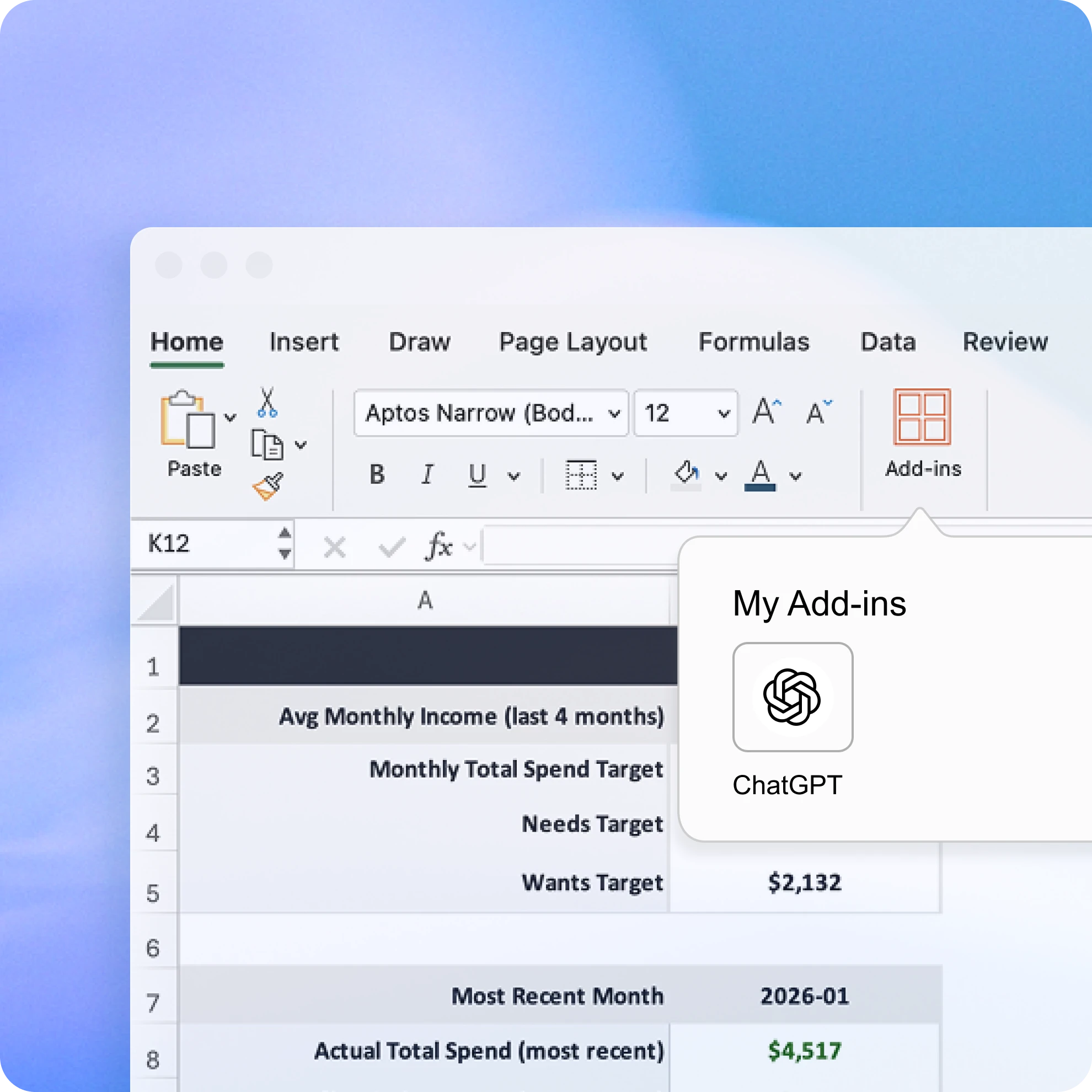
Excel کے لیے ChatGPT حاصل کریں (بیٹا)
ہوم → ایڈ-انز سے ChatGPT for Excel شامل کریں، پھر ChatGPT کے لیے تلاش کریں. اس کے بعد آپ کو اپنی ورک بک کے اوپر موجود ربن میں ChatGPT نظر آنا چاہیے. اسے کھولیں اور اس OpenAI اکاؤنٹ کے ساتھ سائن اِن کریں جس میں آپ کا ChatGPT Plus، Pro، Business، یا Enterprise پلان ہے.
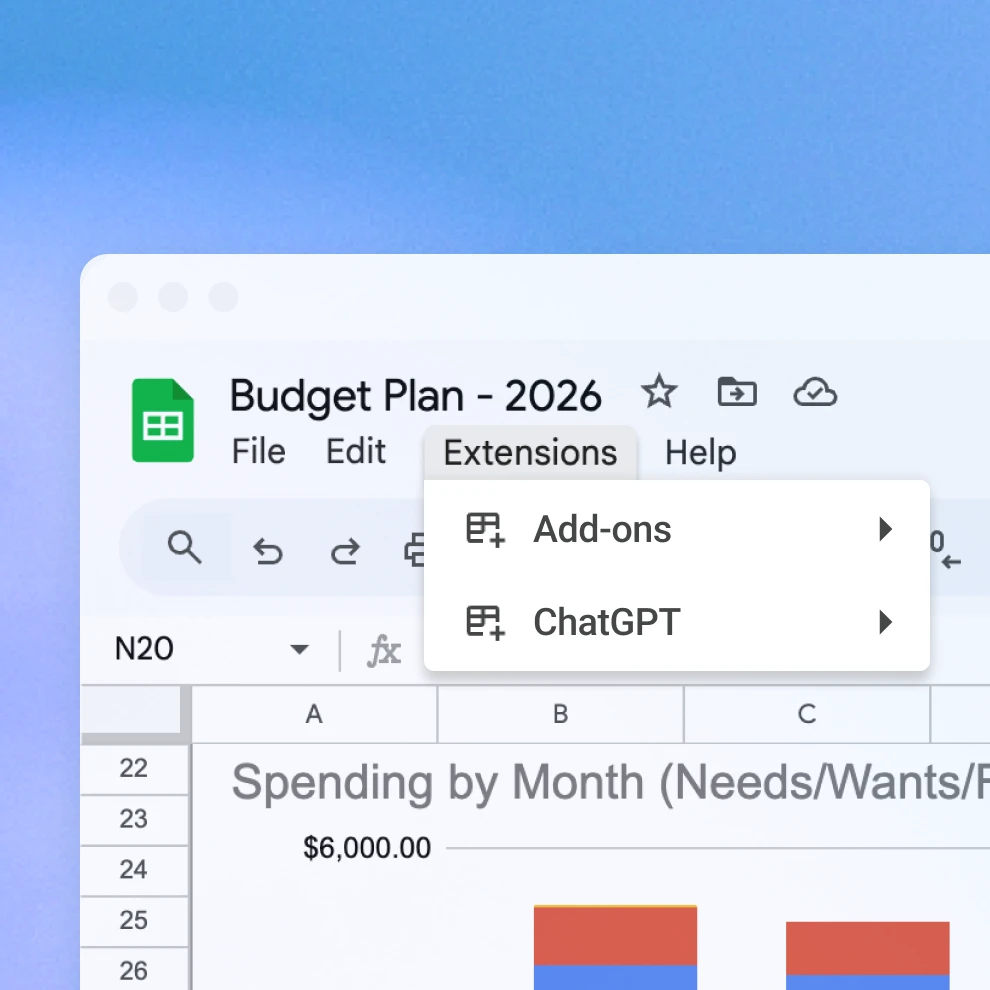
Google Sheets کے لیے ChatGPT حاصل کریں (beta)
Google Sheets کے لیے ChatGPT کو ہوم → ایکسٹینشنز → ایڈ آنز → ایڈ آنز حاصل کریں میں شامل کریں، پھر ChatGPT تلاش کریں. انسٹال کریں، کھولیں اور اپنے OpenAI اکاؤنٹ سے سائن ان کریں.
Excel کے لیے ChatGPT کو استعمال کرنے کے طریقے
اکثر پوچھے جانے والے سوالات
بائی ڈیفالٹ، ChatGPT کے ساتھ شیئر کیا گیا ڈیٹا ChatGPT Business، ChatGPT Enterprise، ChatGPT Edu، اور ChatGPT for Teachers کے لیے ہمارے ماڈلز کو بہتر بنانے کے لیے استعمال نہیں ہوتا.
ChatGPT کو استعمال کرنے کے مزید طریقے
- اسپریڈ شیٹس کے ساتھ چیٹ کریں
ڈیٹا کو تیزی سے سمجھیں، فارمولوں کو اعتماد کے ساتھ درست کریں اور خام نمبروں کو واضح بصیرتوں اور ٹیمپلیٹس میں تبدیل کریں.
- ChatGPT برائے مالیات
مالیاتی بیانات کا سیکنڈز میں تجزیہ کریں، رپورٹس کا فوراً خلاصہ کریں، اور معمول کے ٹاسکس کو خودکار بنائیں۔
- ٹاسکس کو خودکار بنائیں
Google Drive، Slack، اور GitHub جیسی ایپس کو مربوط کریں تاکہ ChatGPT معلومات حاصل کر سکے، انہیں منظم کر سکے، اور آپ کو مزید کام کرنے میں مدد دے سکے۔